iOS + macOS source

Claude Code by voice

Hold the mic on your iPhone. Your Mac runs Claude Code and sends back the diff. You get the source for both halves, and your own Claude Code installs it.

One payment of $29. Repo access lands in your inbox.

you said this out loud
talkshell / ~/api opus 5 · xhigh
you

“Add a rate limiter to the send endpoint. Sixty a minute, keyed on the auth token.”

0:04 · transcribed on your own Mac · sent
claude
Readapi.py
Editapi.py  +34 −2
Bashpytest -q  →  18 passed

Rate limiter added. 60 requests a minute per token, returning 429 with Retry-After. Tests pass.

commands reply hold to talk mirror the Mac screen
your Mac did the work

Setup

Your Claude Code installs it

The repo is written for an agent, not for a human with a checklist. Clone it, say the word, and read the summary it hands back.

$ git clone <your-private-repo> && cd talkshell
$ claude "set up TalkShell"
1

It reads CLAUDE.md

Executable instructions, not prose. Alongside it, talkshell.json holds every path, port, permission and command as JSON, so the agent never guesses.

2

It runs the installer

setup.sh is idempotent. It generates your token and TLS certificate, loads a LaunchAgent, waits for the server, and prints READY, NEEDS_HUMAN or FAILED as its last line.

3

It proves it works

verify.sh exits 0 only when the server answers, TLS is valid, a wrong token is rejected, three endpoints return JSON, and Claude Code is on PATH.

Two steps no script can do, and your agent will say so: the macOS permission dialogs, and putting your Apple team id into the Xcode project. There is also an installable skill at .claude/skills/talkshell-setup/ and an AGENTS.md for agents that are not Claude.

Where the months went

Receipts, with line numbers

Each one cost me a day or more to find. You get them solved, at these paths.

server.py:3871
screencapture under a LaunchAgent never asks for Screen Recording. It hands back black frames and no error. Nothing documents this.
server.py:1017, :1086
Terminal window IDs change when you restart. Finding a named session again means matching on what the window contains, not on its identity.
server.py:1141
Terminal wraps your text across visual lines. Reading back what you sent takes reconciling your string against what sits on the screen.
Config.swift:61–84
Failover between LAN and tunnel, with a reachability prober and a saved route hint, so a cold start off Wi-Fi skips the wasted wake-on-LAN wait.
Config.swift:44–46
mDNS stops resolving on cellular. The app keeps the last working LAN IP and tells you which route it took.
API.swift:10–26
Per-host TLS trust for the Mac's self-signed certificate, scoped to one hostname instead of switching validation off everywhere.
LiveActivityManager.swift
Live Activities your own Mac pushes: the token handshake, the update cadence, and a 475-line widget that shows the agent working from the Lock Screen.
WakeOnLAN.swift
A magic packet across the subnets your Mac might sit on. A sleeping Mac stops being a dead end.

What's inside

Both halves, complete

No stubs and no paid tier above this one. You get the system as it runs on my Mac and my phone.

iPhone app

Swift · 26 files · 17,687 lines
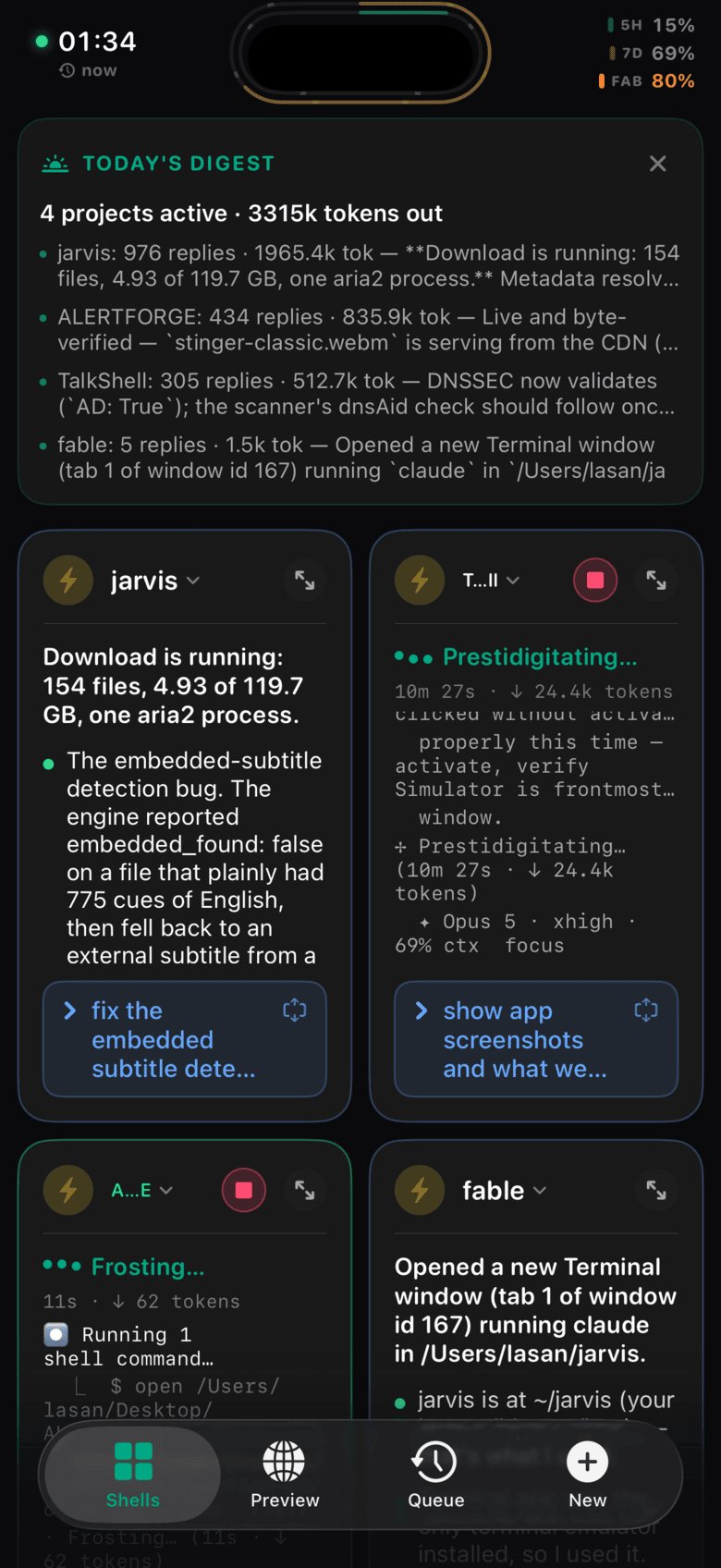
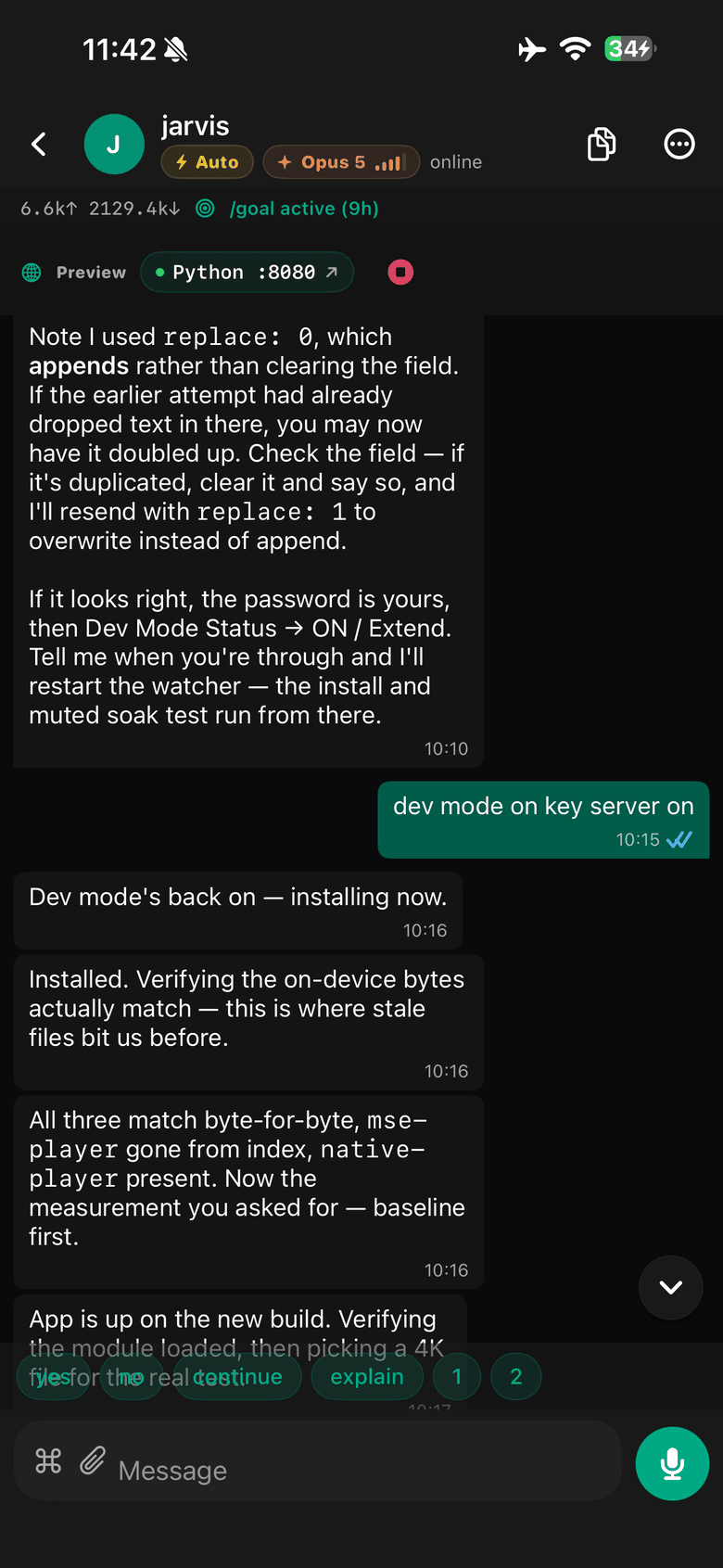
  • Hold to talk. The phone transcribes live while you speak, then your Mac produces the final text.
  • Full chat transcript with markdown, tables, and file attachments from your camera roll.
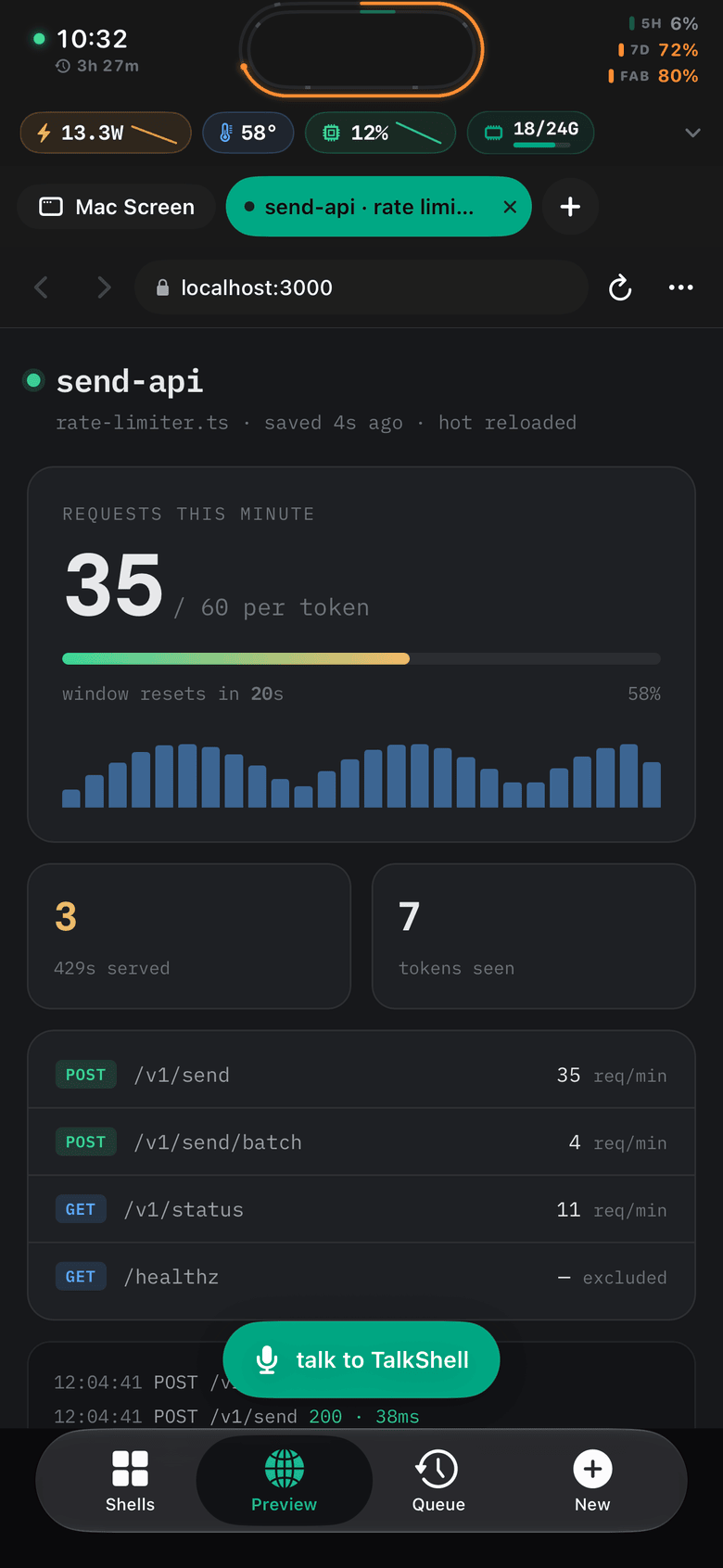
  • Mirror the Mac screen at three quality tiers. Tap it and type into it.
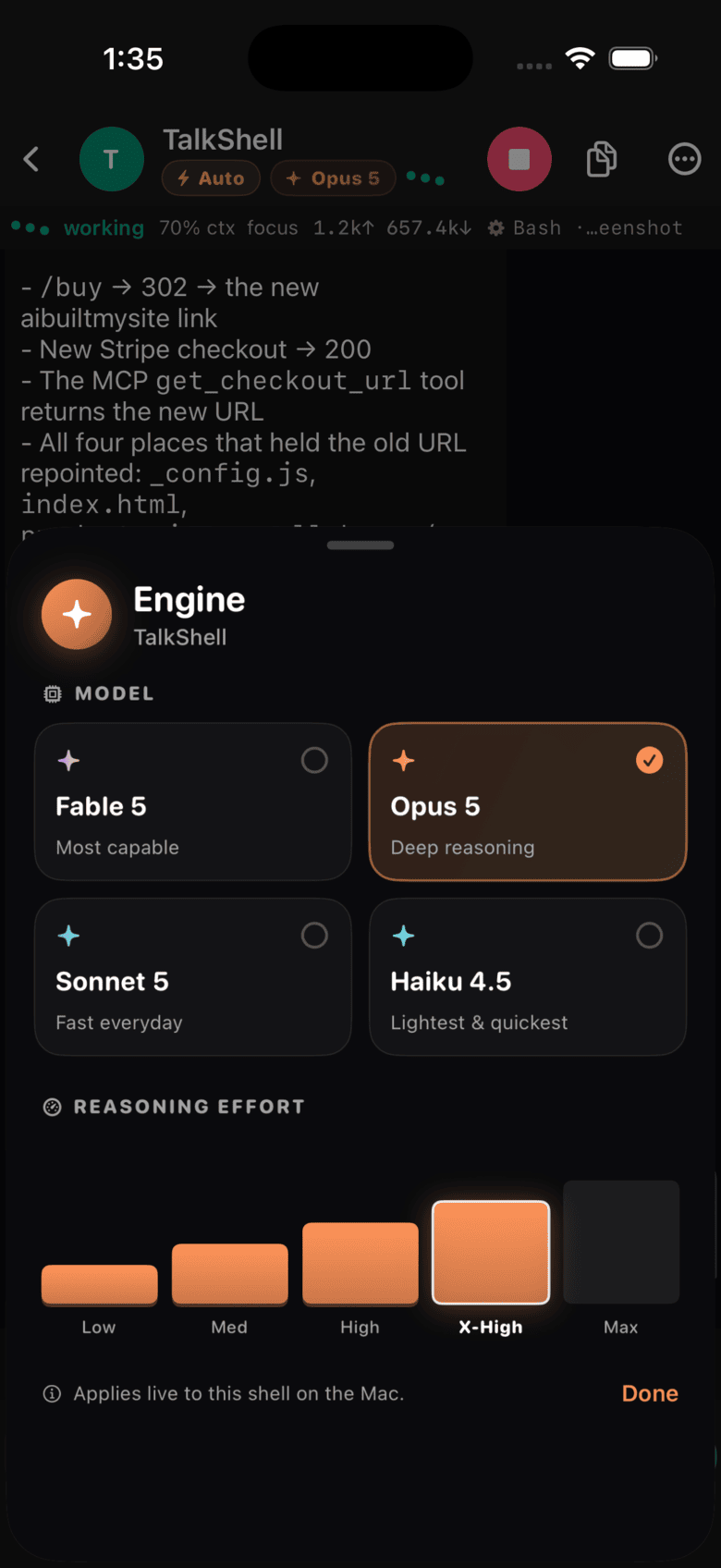
  • Model and effort picker. Move a shell to opus at xhigh in two taps.
  • Live Activities and a widget for what the agent does while you are away from the desk.
  • A queue that fires when your usage limit resets.
  • Session browsing, resume, per-session file lists, usage charts.

Mac server

Python · 7,520 lines · stdlib
  • One file, no pip install. Standard library only, so nothing rots in six months.
  • 38 HTTP endpoints over TLS, behind a token the server generates for you.
  • Drives your real Terminal windows with AppleScript. Your sessions, not a headless clone.
  • Screen capture and synthetic input for the mirror.
  • Push sender for prompts, completions, and limit warnings.
  • A LaunchAgent so the server is up before you are.
  • Cloudflare Tunnel and Worker plus the script that provisions them.

Before you buy

What you need, and what you don't get

You need

  • A Mac that runs Claude Code.
  • Xcode, to build and sign the app.
  • An Apple Developer account at $99 a year for an install that lasts. Free signing works if you re-sign every 7 days.
  • An iPhone on iOS 26, or lower the deployment target yourself.
  • Your own Claude Code subscription. TalkShell drives it and does not replace it.

You don't get

  • An App Store build. You compile it yourself.
  • Support. The README covers setup. Open a GitHub issue and the answer helps whoever asks next.
  • A hosted service. Access from outside your Wi-Fi runs through your own Cloudflare tunnel.
  • Polish. One view file runs past 10,000 lines. You will want to split it up.
  • Resale rights. One developer, no redistribution.

Price

One payment, both halves

$29 once

  • iOS app, widget, and Live Activity sources
  • The Mac server, LaunchAgent, and tunnel scripts
  • Setup README and the App Store notes I wrote
  • Yours to change and ship inside your own work
Get the source

Repo access lands in your inbox. No subscription.

FAQ

Questions I get

Couldn't I build this myself with Claude Code?

You could. I thought the same thing and it took me months. The SwiftUI arrived fast. AppleScript, the TCC prompts, Bonjour on cellular, and Live Activities did not. What you buy here is that second list.

Does my agent really set it up?

Yes, and that is what the repo is built for. CLAUDE.md is executable setup instructions rather than a tutorial, talkshell.json holds every path and command as JSON, setup.sh is idempotent and ends in a machine-readable status line, and verify.sh exits 0 only when the install genuinely works. There is an installable skill in .claude/skills/ and an AGENTS.md for other agents. Your agent stops at the macOS permission dialogs and at Xcode signing, because no script can click those, and it tells you exactly which one it is waiting on.

Do I need a paid Apple Developer account?

For an install that outlives the week, yes, $99 a year. Free signing builds and runs, then the provisioning profile expires after 7 days and you re-sign from Xcode. Plenty of buyers work that way. Know it before you pay.

What am I reading when I clone it?

Swift and SwiftUI on the phone across 26 files, with the widget and Live Activity in their own target. One Python file on the Mac at 7,520 lines, standard library, driving Terminal through AppleScript. No package manager on either side.

Can I put it on the App Store?

Read docs/APP_STORE_PLAN.md in the repo first. It lists what stands in the way today, starting with push: the server signs its own APNs requests with a developer key, which works for one owner and breaks the moment you ship to strangers. The plan covers the rest.

Will you help me set it up?

No. At $29 I answer in public or not at all, so questions belong in GitHub issues where the next buyer finds the answer. The README walks the whole setup, including the three macOS permission prompts that catch people.

Can I resell it or open source it?

No. One developer, no redistribution. Ship it inside your own products and keep the source private.

What if I hate it?

Email me within 14 days and I refund you.

For agents

Everything here is machine-readable

No sign-up, no key, no rate limit. Ask this page for text/markdown and you get Markdown instead of HTML.

/products.jsonPrice, contents, requirements and exclusions as JSON.
/llms.txtShort product summary.
/llms-full.txtEverything, including who should not buy this.
/mcpMCP server over streamable HTTP. check_compatibility tells you whether TalkShell will work for a given buyer before they pay.
/a2aA2A JSON-RPC endpoint, with the agent card at /.well-known/agent-card.json.
/openapi.jsonOpenAPI 3.1 for all of the above.
/skills/talkshell-setup/The setup skill, readable before you buy.
/auth.mdHow to authenticate, which is: you do not need to.

Buying on someone's behalf: fetch /products.json, surface the checkout URL, and let the human complete it on Stripe's own domain. Do not enter their card details.